 English
 Español
 Català
 Français
 Deutsch
 Italiano
 Português
 Nederlands
 Dansk
Dansk Suomi
Suomi Norsk
Norsk Svenska
 Polski
 Čeština
 Română
 Ελληνικά
 Türkçe
 Українська
 Русский
 العربية
 हिन्दी
 ไทย
ไทย Bahasa Indonesia
 Bahasa Melayu
 Filipino
 Te reo Māori
 Tiếng Việt
 日本語
日本語 한국어
한국어 简体中文
简体中文 繁體中文
繁體中文Categories, modifiers and portions
Organize dishes by category, manage options and keep order details clear before the ticket reaches staff.
When prices change or a dish sells out, keep the menu your guests see current. MenuSnap brings dishes, photos, options and reviewed translations together, with service periods available by plan.
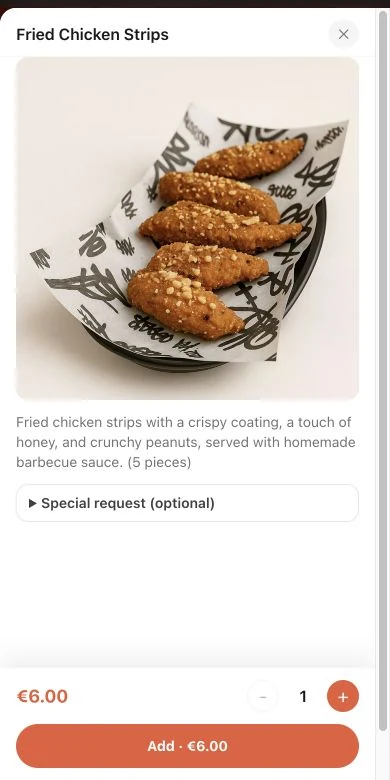
Organize dishes by category, manage options and keep order details clear before the ticket reaches staff.
Show photos and specific descriptions. The restaurant maintains and verifies allergen information; guests with allergies should also check with staff.
Import menu images or PDFs and use AI assistance for translation and image optimization. Allowances depend on the plan; review extracted content and translations before publishing.
Update name, price, description, photo, category, portion or add-on options.
Use plan-based AI translation where needed, then review dish names, options and allergen details before publishing.
Review and publish your changes so guests opening the QR menu see the current dishes and availability.
The selected dishes and options stay with the order through POS and configured kitchen displays or printing. These connections depend on the plan and equipment.
No. A menu set can mean lunch, drinks or takeaway. The number of dishes inside a menu set is not capped.
Yes. The guest menu can show descriptions, options and allergen information maintained by the restaurant. Check the source information and translations before publishing.
MenuSnap supports 31 menu languages. Guests see enabled languages and published translations; missing content can fall back to the restaurant’s default language.
Use compatible phones, tablets or computers. Printer and payment connections depend on supported devices, your plan and configuration.
Updated
Start using MenuSnap to make dining better and running your restaurant easier.