

Restaurant insights

Practical ideas for multilingual menus, QR ordering and restaurant service.

How to Check Dietary Requirements with the Kitchen: An Inquiry and Response Card for Inn Dinner Service

When guests mention dietary restrictions, first ask which dishes and ingredients they mean, then check the current recipe, supplier information and preparation conditions. If something cannot be confirmed, clearly say what is unknown. The inquiry card records verified facts, unanswered questions and who will follow up. Translation can help with understanding, but changing an ingredient or removing food from a plate does not automatically prove that a requirement has been met.

Read more
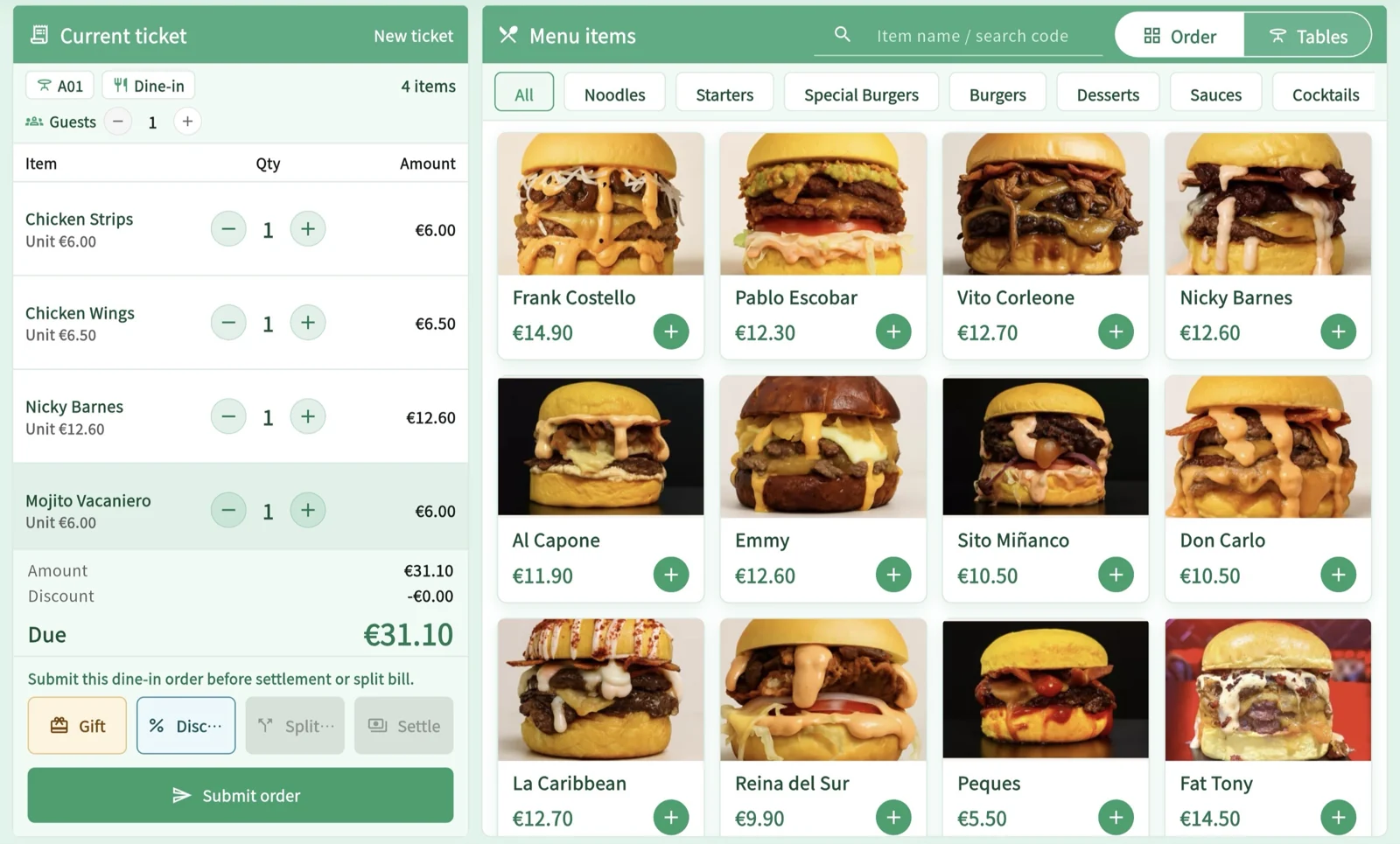
How to switch when lunch set-menu service ends: distinguish browsing, pending orders and accepted orders

When lunch set-menu service is about to end, first check what is still available and the status of each order. Do not treat the time a guest opened the page as a reservation. Handle orders that have not been submitted, have been submitted but are awaiting confirmation, or have been accepted separately. Then use a set-menu breakdown card to explain the starter, main course, drink and after-meal options. Check the subscription for service-period features, and do not treat a guest’s requested departure time as a delivery guarantee.

Read more

How to Enter Handwritten Orders in the POS: Distinguish Orders Sent to the Kitchen from Those Still to Be Entered to Avoid Duplicate Preparation

Before entering a handwritten order in the POS, check whether it has already been sent to the kitchen and whether the system already contains the corresponding order. Use the same paper-order number to link the entry to its preparation reference, and keep orders awaiting entry, sent to the kitchen, and awaiting confirmation of their status separate. For additions and changes, communicate only what has changed; do not resend the entire table’s order.

Read more

Checking Multilingual Takeout Orders: Match the Pickup Identifier, Then Check Each Drink’s Specifications

For multilingual takeout orders, first match the order to a pickup identifier the customer can read, then confirm the milk, temperature, cup size, and quantity for each drink. If glare makes the screen hard to see or the customer cannot hear their number, offer a paper slip, explain verbally, or remind them in person. Even when the identifier matches, check the specifications. If drinks are handed out before hot food is ready, explain what is still waiting; never use a similar-looking cup or a nearly matching number as proof that an order is theirs.

Read more

How to manage a menú del día that changes daily: inclusions, sold-out dishes and last orders

Separate the set menu’s regular rules from that day’s dishes. Have the kitchen confirm what’s available, and give front-of-house staff the same record to refer to. List opening hours, menu service hours and the last order time separately. When a dish sells out, check confirmed orders first, then update the options for new customers to avoid carrying over outdated prices, translations or dietary information when making a last-minute substitution.

Read more

What to Do When Paper and QR Code Menu Prices Don’t Match: A Price-Change Checklist and How to Handle Seated Guests

First confirm that you’re comparing the same dish, size, and inclusions, then check paper menus, boards, mobile pages, and staff order entry to find the discrepancy. Use a price-change log to assign an effective time and replacement responsibilities. Speak with seated guests according to whether they have ordered, their order has been confirmed, or they are adding items later. Don’t charge an unapproved price difference or alter a completed bill.

Read more

How to Troubleshoot Orders Missing in the Kitchen: Find the Order, Then Check Who Took It and Where It Went

If the kitchen hasn’t received an order, don’t enter it again straight away. Check the same order throughout: whether it exists, who has taken responsibility for it, and which items should go to which station. Then check the print job and actual food preparation. Handle missing records, orders no one has taken responsibility for, unclear destinations, and uncertain print results separately. Before reprinting, confirm whether preparation of the original order has already started or been completed.

Read more

How to Translate Portion Sizes and Add-ons Clearly: Check Each Option Against a Meaning Card

Once dish names read naturally, check serving sizes, whether an option adds or replaces something, what the price includes, and which choices cost extra. First have the kitchen confirm the source-language facts, then document each option’s meaning in both languages. If a wording could change what a guest actually orders, revise it rather than checking only that dish names and numbers match.

Read more

Where Small Restaurants Should Start with Digitalization: Get One Sold-Out Notice Handoff Right First

Before making a purchase, distinguish between inaccurate information, unclear responsibilities, and tools that don’t fit. Trace a sold-out notice from kitchen confirmation through menu updates to front-of-house communication, recording who received it and what remains unfinished. Check existing equipment, training, and exit arrangements. Business digitalization data from 2025 provides context only; it does not establish a restaurant’s efficiency.

Read more

The Kitchen Has Started Cooking: How to Handle Guest Changes or Cancellations by Checking the Preparation Stage Before Adjusting the Bill

First find the original order and the affected items, then ask the staff actually preparing them how far along they are. Respond according to whether preparation has not started, is underway, is complete, or the food has been delivered. Record the final quantities to stop, keep, or add; confirm bill adjustments, actual refunds, and what happens to the food separately. A change at the register does not mean the kitchen has stopped cooking.

Read more

How to Communicate Order Notes and Add-ons Clearly: List Standard Options First, Check Special Requests with the Kitchen

List portions and preparation methods you can reliably provide on the menu. Show the price of paid add-ons before guests choose them, and get the kitchen’s response to special requests before confirming with the guest. Use an item selection card to distinguish additions, substitutions, and what each request applies to. When sending an order to the kitchen, have the person preparing it confirm what they received, so no one has to guess which dish a note for the whole table refers to.

Read more

Can an Older Tablet Work as a Restaurant POS? Check Role, Version, and Connection Requirements

To determine whether an existing tablet can handle checkout, check its intended role, operating system and browser or native app version, permissions, internet access, and printer and payment connections. Use a device assessment sheet to record confirmed requirements and gaps, then decide whether to continue with the current setup, limit what you offer, or switch over. Being able to open the login page does not mean the full workflow will work, and hardware is not included in the subscription.

Read more
Live demoStart free




























