 English
 Español
 Català
 Français
 Deutsch
 Italiano
 Português
 Nederlands
 Dansk
Dansk Suomi
Suomi Norsk
Norsk Svenska
 Polski
 Čeština
 Română
 Ελληνικά
 Türkçe
 Українська
 Русский
 العربية
 हिन्दी
 ไทย
ไทย Bahasa Indonesia
 Bahasa Melayu
 Filipino
 Te reo Māori
 Tiếng Việt
 日本語
日本語 한국어
한국어 简体中文
简体中文 繁體中文
繁體中文Operations insights
How to Transition to a New Restaurant POS System: Keep Existing Checks by Table and Switch in Stages
When changing how you take orders or process sales, first decide which part of the workflow will change, then proceed in stages: prepare the menu, launch on a limited basis, expand, and retire the old system. Specify when to continue or pause at each stage. Keep checks opened under the old system on their original order record through to completion, and hand over outstanding items and historical records separately.
When changing your restaurant’s POS system, first decide whether this change affects the menu ordering channel, staff order entry, or how orders reach the kitchen. Then transition in stages instead of trying to change everything in a single weekend. In general, a designated staff member should see each table that started under the old system through to completion using its original order record. New arrivals can use the new method agreed for that shift. This helps prevent two competing preparation records for the same table.
For each stage, set clear criteria for when to continue and when to pause
- Prepare the menu: Check that items, prices, options, and availability match the menu for that day before making it available. Hold back any items with discrepancies and refer them to the person responsible for the menu.
- Launch on a limited basis: Choose an area or shift with staff oversight. Make sure the order-taking staff, kitchen, and cashiers know which record applies to each table. If it’s unclear which system a table belongs to, pause expansion.
- Expand: Move to another time slot or area only after staff can consistently hand over additions to orders, delivery status, and outstanding items in the previous area. Resolve the specific issue before proceeding if orders are sent to the kitchen twice, prices don’t match, or no one is assigned to take an order.
- Retire the old system: Assign someone to each old check, pending refund, and set of records before scheduling deactivation. Continue following up on anything unresolved using its original record.
Use a transition handover card, not just a launch announcement
You can fill in the following fields in your existing pre-shift notes. This sets the boundary between old and new procedures during service at a single location; it doesn’t replace the separate preparations needed for the menu, devices, and payments.
- Current stage and start of service period: ____; part of the workflow changing this time: ____; payment and service arrangements that aren’t changing yet: ____.
- Area using the new method or new checks: ____; checks still being handled under the old method: ____; staff responsible for each: ____.
- Unresolved menu or device issues: ____; items that must be addressed before expanding: ____.
- Who will take orders if expansion is paused: ____; who will contact the kitchen: ____; who will follow up on payments that need checking: ____.
- Person taking over next shift: ____; specific criteria for continuing or pausing this stage: ____.
Separate menu changes from the system transition
Start by checking each item on the current menu against its price, portion, options, surcharges, and availability. Avoid making major changes to item names and meal deals at the same time; otherwise, it will be difficult to tell whether a discrepancy comes from data entry or a change in business rules. For multilingual menus, confirm the source information first, then review the translation. Don’t make unconfirmed information available to customers.
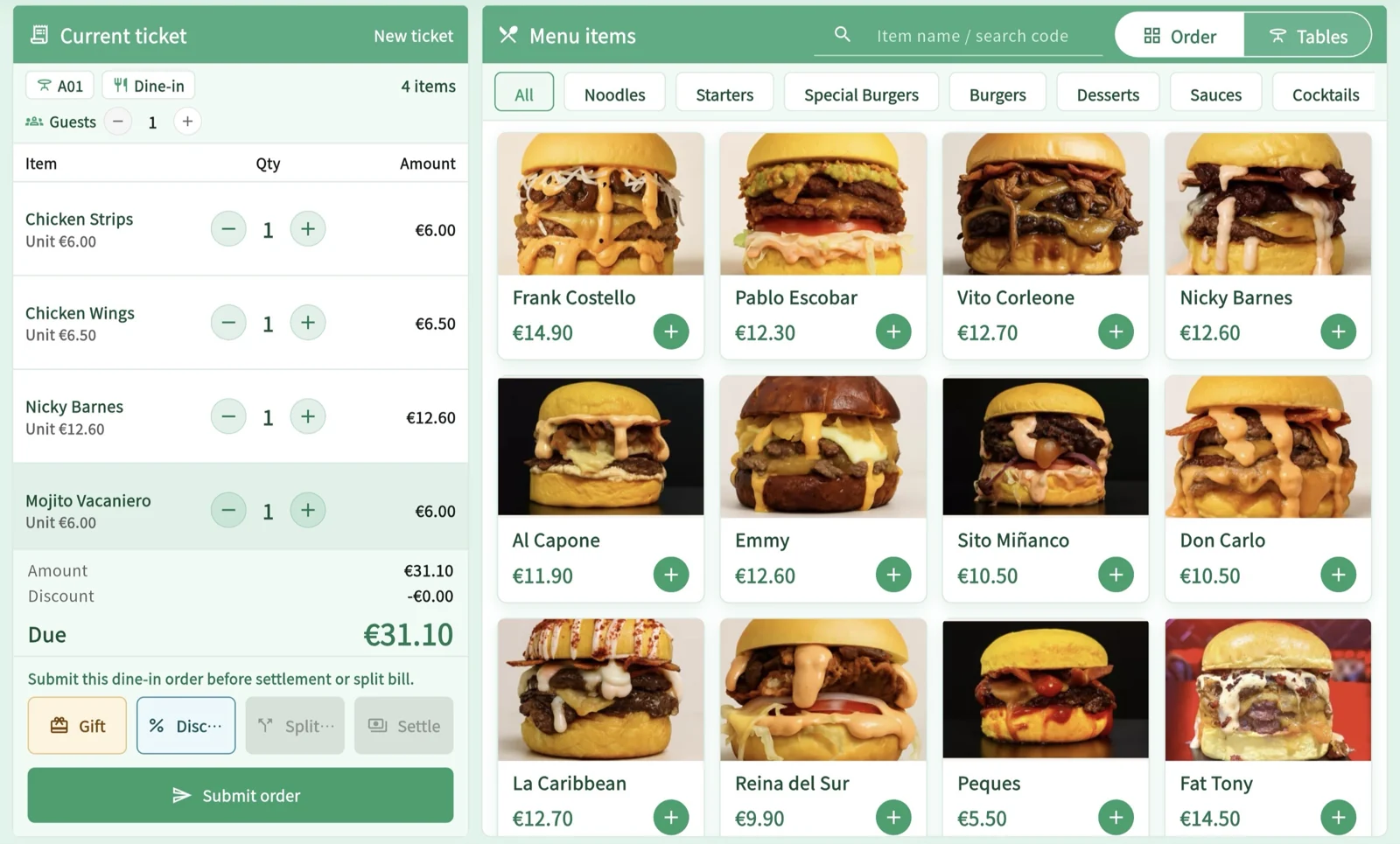
MenuSnap can be used for menus, QR code ordering, and staff POS order entry. KDS and printing have their own package, configuration, and device requirements. The owner or an administrator explicitly authorized by the owner should coordinate device and account settings. During preparation, check compatibility, printer routing, payment accounts, and staff permissions; don’t try to fix problems during service by changing settings on the fly.
Keep additional requests for a table on the same order record
For a QR code that’s for browsing only, tell customers that a staff member will take their order. If customers can place orders, specify who will monitor incoming orders. Before switching from mobile ordering to staff-assisted ordering, check whether the order has already been submitted. Link additions to the original check and send only the new items. For changes to an order, check the preparation status with the kitchen team before responding to the customer. A change at the register doesn’t mean the kitchen has stopped preparing the item.
If old and new records are temporarily in use at the same time, note each table’s assigned system and the staff member responsible on the handover card. Don’t make the kitchen guess which record is current based on the order in which tickets arrived, and don’t re-enter the whole table’s order just to standardize table numbers. Continue to offer staff-assisted service to customers who don’t use a phone or prefer to order in person.
Pause the new ordering channel without abandoning orders already in progress
If orders are sent to the kitchen twice, menu details don’t match, or it’s unclear who should receive an order, the person in charge should first take responsibility for the tables being served. Check the original orders and preparation status one by one, then pause the affected channel. During a network outage, use the restaurant’s manual handover process to keep track of items prepared, served, or awaiting confirmation. When the connection is restored, check the latest records before filling in missing information; don’t resend the entire table’s order.
With a standalone card terminal, first verify that the transaction actually succeeded, then record the corresponding payment. The terminal does not automatically verify the card transaction in the system. Payments, refunds, settlement, and shift operations in MenuSnap require server confirmation. During an outage, retain the necessary records and handle these tasks once the connection is restored. Don’t promise fully offline operation simply because you’re switching to a new system.
Hand over checks, contracts, and records separately before retiring the old system
- Outstanding business: For open tables, payments made but not yet confirmed, refunds, and customer follow-ups, record who is responsible and where the original record is kept.
- Service contracts: Check the end date, fees, record-retention terms, and cancellation conditions for the old service. Don’t cancel every old service immediately just because the new menu is available.
- Historical records: Ask the previous provider what types of records are available, in what formats, and subject to what restrictions. Retain them as agreed; don’t assume all checks and payment records can be transferred automatically.
- End-of-shift review: Note which step repeatedly prompted questions, which item’s specifications weren’t passed on, and which table’s system assignment was unclear. At the next shift, address only the gaps that are most relevant.
Let the transition progress according to how well service can be handed over consistently, not according to a date by which everything must be completed. Before each shift, just make clear which orders will use the new method today, which items under the old method are still unresolved, and who staff should ask if they have questions.
Sources
Related articles
Can an Older Tablet Work as a Restaurant POS? Check Role, Version, and Connection Requirements
To determine whether an existing tablet can handle checkout, check its intended role, operating system and browser or native app version, permissions, internet access, and printer and payment connections. Use a device assessment sheet to record confirmed requirements and gaps, then decide whether to continue with the current setup, limit what you offer, or switch over. Being able to open the login page does not mean the full workflow will work, and hardware is not included in the subscription.
Read moreDividing Responsibilities for Restaurant AI Training: Generate, Verify, and Publish (A 2025 Guide to AI Literacy)
Restaurant AI training should focus on real job responsibilities: who provides information, who verifies menu details and translations, who can pause publication, and who takes over verification after a shift change. Against the backdrop of the first AI Act rules announced in 2025, this article outlines job-specific tasks and what to include in training records. Attendance and coursework are not the same as legal certification.
Read morePhone Dead, QR Ordering Interrupted? Check Submission Status Before Staff Take Over
If a guest’s phone dies or the screen goes black, staff should first check for an existing order using an authorized POS terminal, then decide whether to continue the original order or help place a new one. Handle unsubmitted, submitted, and unclear orders separately. Paper menus and verbal guidance should provide the same information. Check a single phone outage separately from a restaurant-wide network outage, and never require guests to hand over their personal phones.
Read more